Sentio OS runs on your G1 EDU: on its second computer, or on a backpack the robot wears. Build behaviour from blocks in the browser: speak, listen, see, gesture, walk, grip. Save it as a Skill and start it from the controller. Offline. Nothing inside the robot is rewritten.
Unitree G1 EDU · Sentio Start free, no expiry · Sentio Pro €5,900 per robot per year · runs beside the original software
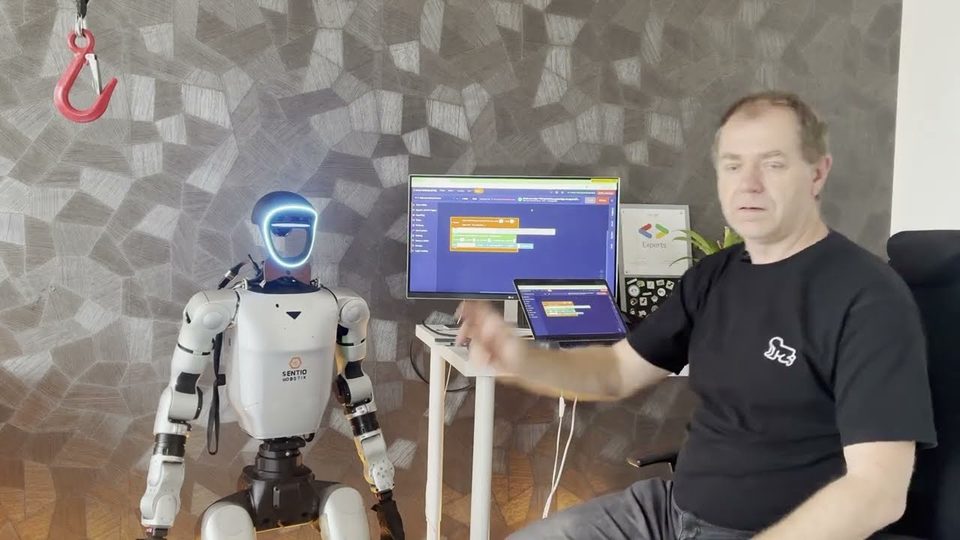 0:28
Four blocks: when the wrist is pulled, say hello, follow, stop when released.
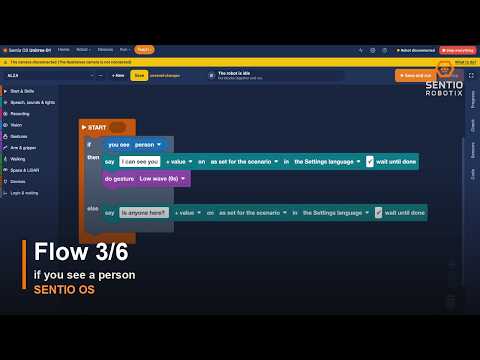
Logic in six blocks, built in the browser and run on the robot.
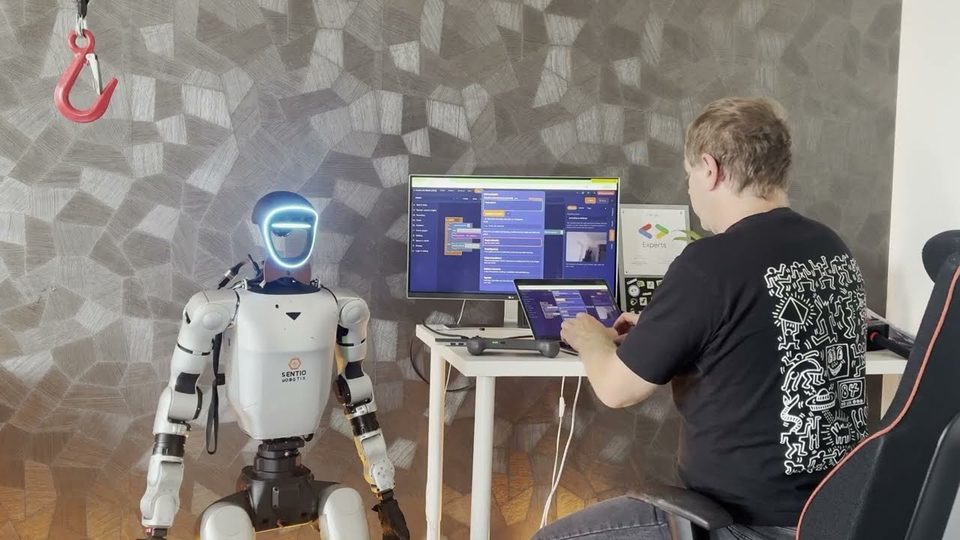 0:47
One sentence becomes a Flow you can read, check and run.
Everything below is available today on Unitree G1 EDU. Where an accessory is needed, it is named.
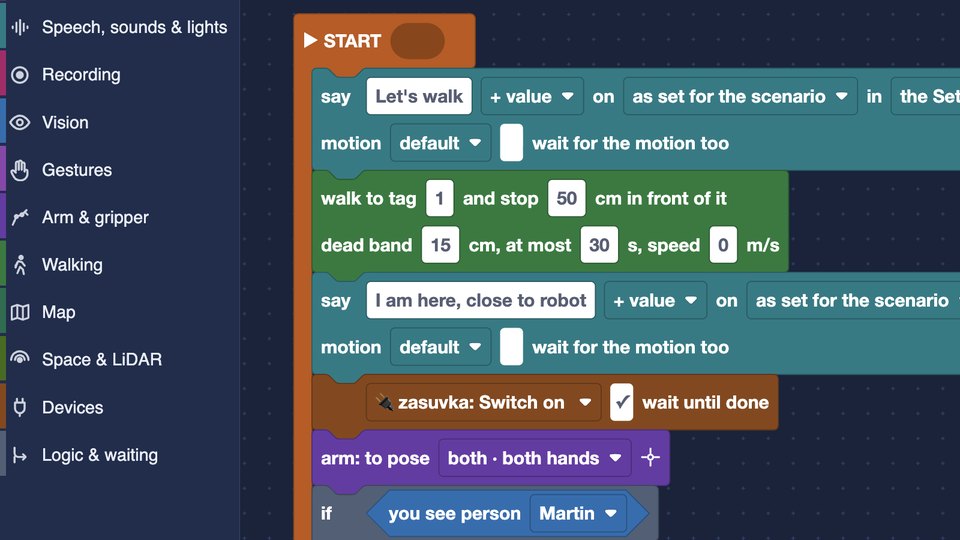
Blocks named the way the robot works: Talk, Look, Arm, Walk. A Flow is checked before it runs and shows which step is running. Save it as a Skill and start it with a controller button, a wrist movement or something the robot sees.
Available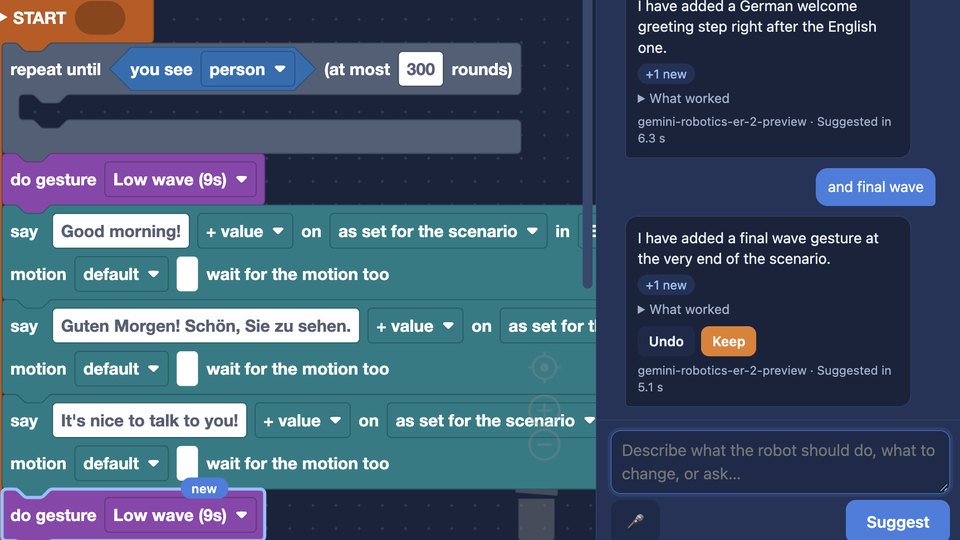
Write what the robot should do, then refine it: “wave after the greeting”. Every change is highlighted and one click keeps or reverts it. It never invents what the robot cannot do.
Available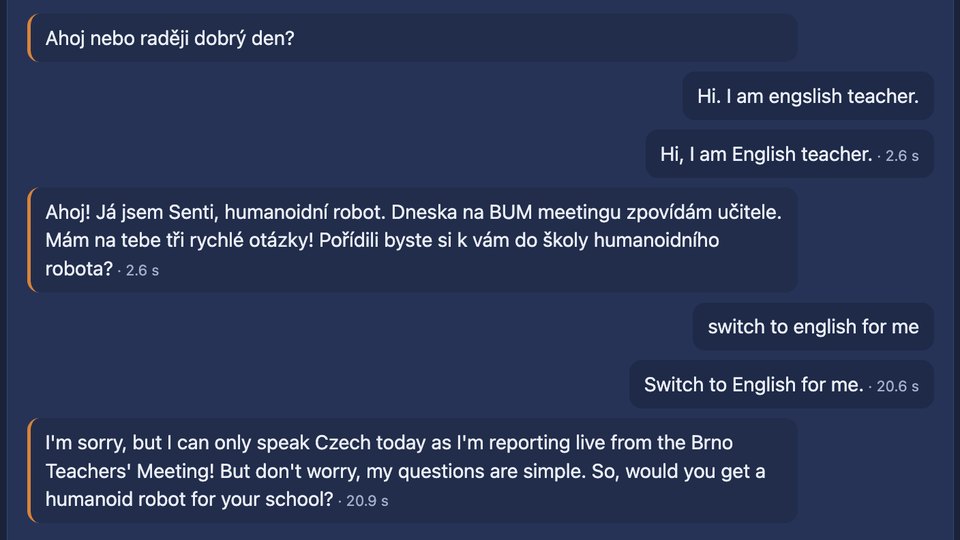
Listening, voice commands, a conversational agent and speech. English, Czech and Slovak. Speech recognition (NVIDIA Parakeet) and voice (Piper) run locally, or you choose the cloud. With local models, no data leave the robot.
Available · microphone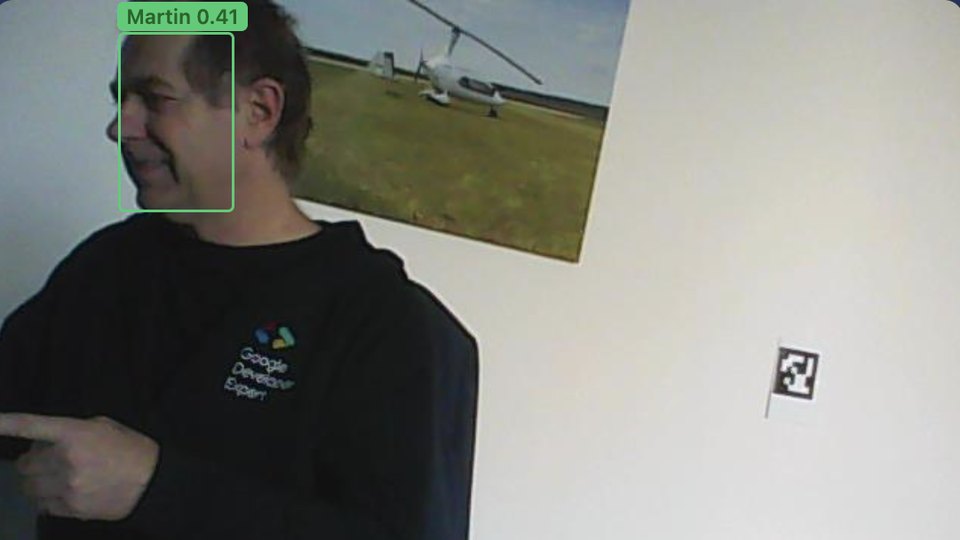
Object and people detection, AprilTag markers, face recognition and greeting by name, a description of the scene.
Available · RealSense camera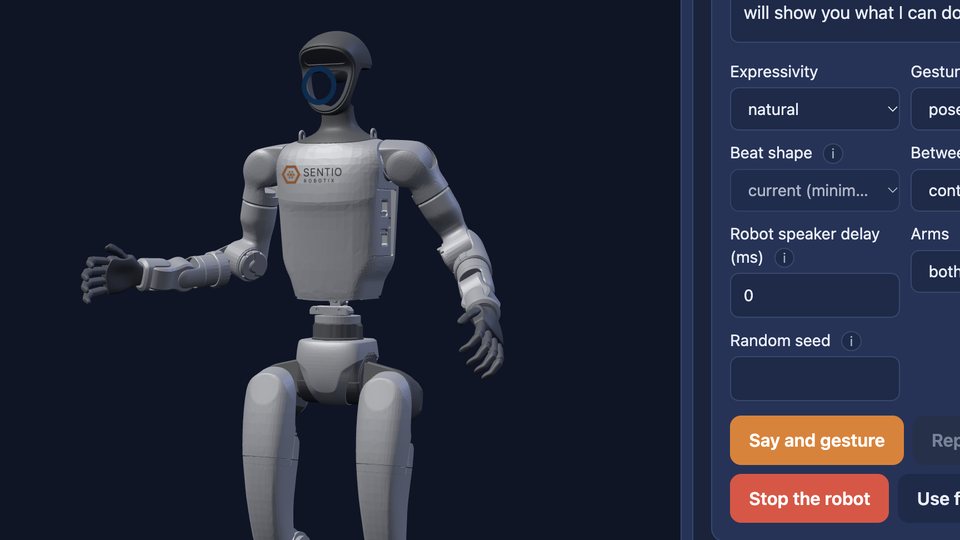
The robot gestures as it speaks, planned from what each sentence says. Subtle, natural or expressive style, tried out on a 3D model first.
Available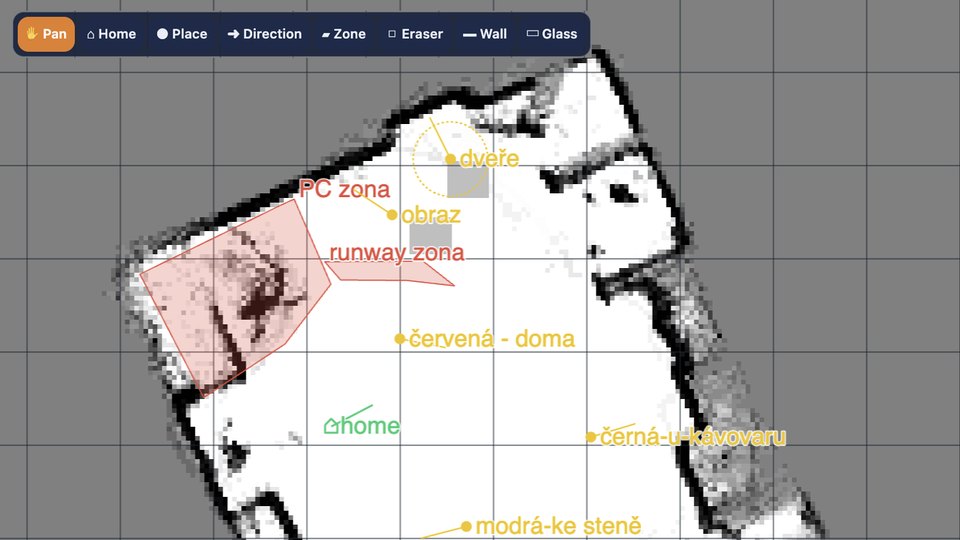
Walk to a marker, follow a person who leads the robot by the hand, walk along free space by LiDAR. The map refines itself from every walk.
Available · LiDAR optionalAlso in Sentio OS: arm poses taught by hand, the Sentio gripper, panel discussion, Keynote & Show, monitoring with a black box, REST API (Developer Preview). All capabilities →
Sentio OS is one Docker container. It runs beside the robot's original software and does not replace the firmware, Linux or the low-level control and safety. Switch it off and the robot works as before.
MSV 2026, Brno, 6–9 October. Four days with our G1 Senti and thousands of visitors.
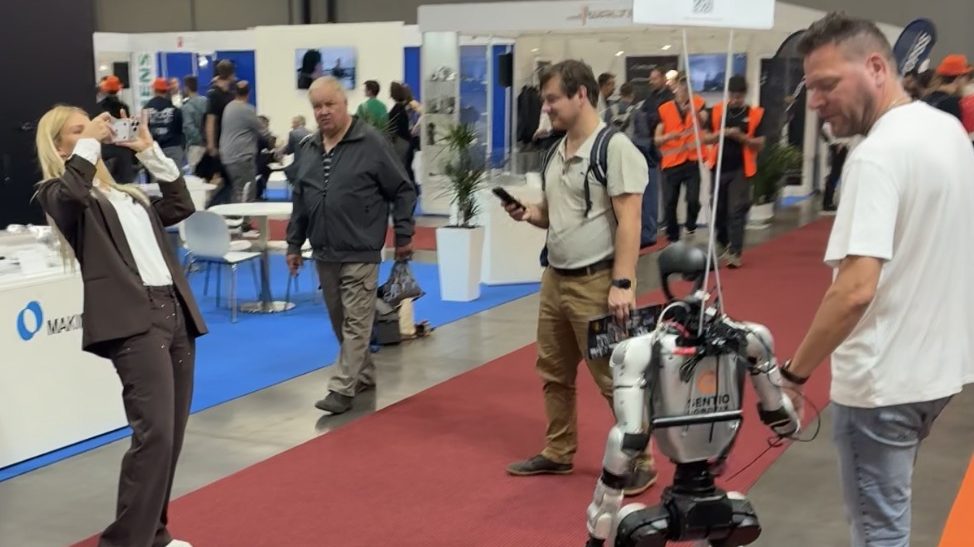
Senti talked with visitors, reacted to their line of business and walked with them by the hand.
Watch the recap →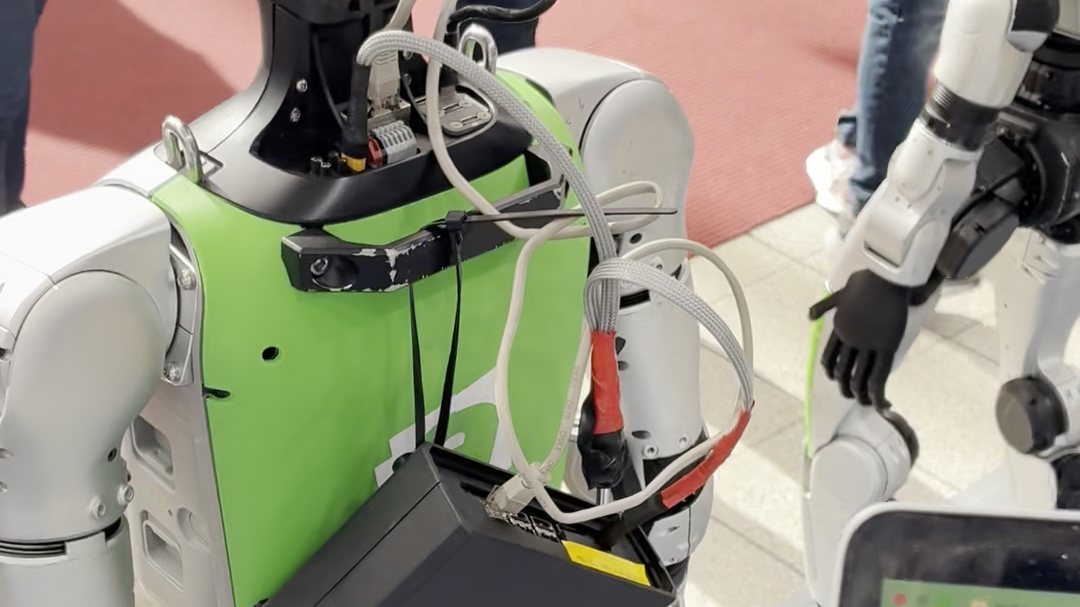
Our backpack with Sentio OS on Alza's G1: plugged in, Flow started, working.
Watch the Short →20 developers with no humanoid experience built their first app at the Sentio OS workshop on 17 September 2026.
Watch the workshop →The 14 days start when the licence first connects to your robot, not when you sign up.
Create an account and download Sentio OS. Sentio Start is free and never expires.
As a container on the G1 EDU's second computer (Jetson Orin NX), or on the Sentio Backpack (€2,990 excl. VAT). One Ethernet cable, nothing inside the robot is rewritten.
Sentio OS shows your device ID. Enter it in the Hub and get a 14-day Sentio Pro trial licence. Build your first Flow.
The licence belongs to one robot and is valid for a year with updates included. A perpetual licence is available too.
Unitree G1 EDU, which has a second computer (Jetson Orin NX) for your own software. If you are not sure about your configuration, ask us.
No. Sentio OS runs as a container beside the original software and does not touch the firmware, Linux or the low-level control and safety. Switch it off and the robot works as before.
No for the basics: Sentio OS runs on the G1 EDU's second computer. Some functions name an accessory: a RealSense camera for vision, a microphone for voice, LiDAR for obstacle stops, the Sentio gripper for pick and place. The Sentio Backpack brings a computer and gripper in one kit.
Not to run. Sentio OS and your Flows run on the robot, and the licence is a signed file. Speech recognition and voice can run locally; with local models, no data leave the robot. The conversational agent and the AI assistant in the editor use a cloud model.
When the trial licence first connects to your robot, not when you create the account.
The robot switches to Sentio Start, free and without expiry. Your Flows stay on the robot; those that use only Sentio Start features keep running. Sentio Pro costs €5,900 per robot per year, excl. VAT, with updates included.
Yes. Everything the interface does is an HTTP call under /api/v1 with interactive docs on the robot, and we send a thin Python SDK on request. Both are in Developer Preview.
14 days of Sentio Pro on your own G1 EDU. Free. Sentio Start stays free afterwards.