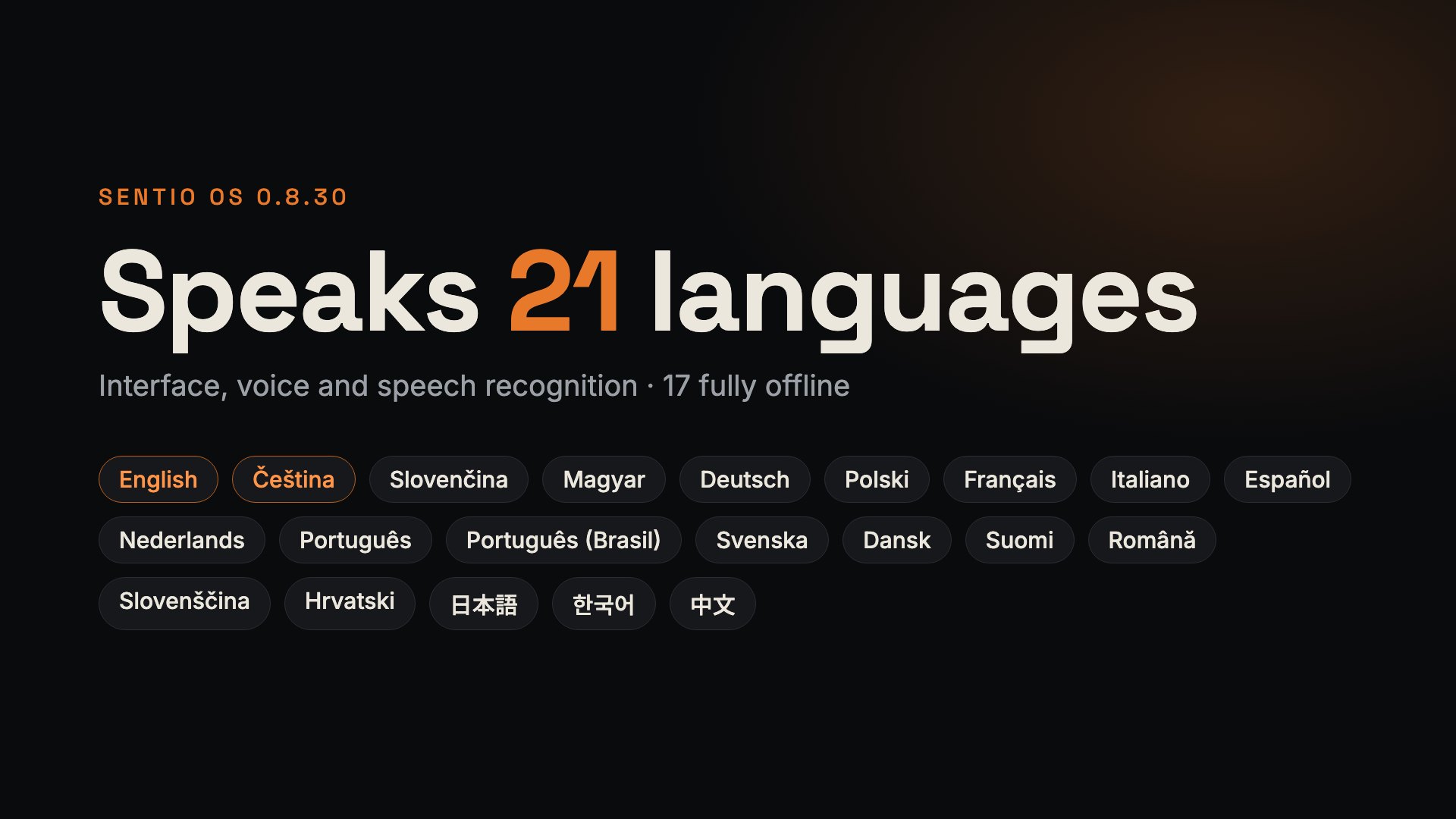
You can now operate a Unitree G1 running Sentio in 21 languages, and the robot speaks just as many. In 17 of them, it can speak and understand with no internet at all.
Two languages instead of one
Sentio separates the interface language (the language of the menus, pages and Flow blocks) from the speech language (the language the robot speaks and understands). Each is set on its own, and neither depends on the other.
In practice, an operator in Brno runs the robot in Czech while it greets visitors in German at a trade fair in Munich. In the same way, a Polish technician can have the menus in Polish while the robot at reception speaks English.
The interface in 21 languages
The robot's web app is translated into Czech, English and 19 more languages: Slovak, Hungarian, German, Polish, French, Italian, Spanish, Dutch, Portuguese (separately for Portugal and Brazil), Swedish, Danish, Finnish, Romanian, Slovenian, Croatian, Japanese, Korean and Chinese. These are the same languages the Sentio Robotix website comes in.
Everything people work with is translated: menus, pages, buttons, error messages and the blocks of the visual Flow editor. Blocks read as a sentence in the chosen language, so a Flow like "when you see a marker, say…" makes sense in German or Japanese too. Numbers use a decimal comma or point, following the conventions of each language.
You switch the language in Settings › General › Interface language, and the change takes effect immediately. Each language has more than 6,100 strings.
The translations were made by machine and then reviewed language by language. We checked formal address according to each market's conventions, consistent terminology (what a Flow, a gripper or a marker is called) and the Teach menu group, which should convey that a person is teaching the robot. An automatic check now verifies on every change that a translation has not broken variables, HTML or banned terms. Even so, corrections from native speakers are very welcome.
The robot's voice: offline or cloud
The robot can speak in two ways, and you choose.
The local Piper voice runs directly on the robot or on the Sentio Backpack, with no internet and no usage fees. Czech, English, German, Slovak and Hungarian are installed out of the box. The other 13 languages can be downloaded in Settings › Audio & Video with the Download button. Each voice is about 63 MB and is ready to use as soon as it is downloaded, with no restart.
Cloud voices from Google Chirp 3 HD, Gemini and ElevenLabs sound more natural and cover all 21 languages. They need internet and your own key for the service (Settings › AI services). Croatian, Japanese and Korean have no local voice and are spoken through the cloud only.
For every language in the list, you can see where it stands: offline, downloadable or cloud only. When a local voice is missing for a language, Sentio uses a cloud voice if you have a key. Otherwise, it tells you clearly what is missing. The robot will never again read Polish text with a Czech voice.
Understanding speech: the robot recognises the language you speak
Offline speech recognition is handled by NVIDIA Parakeet. It understands 18 of the European languages we offer, Croatian included, and detects the language on its own. If a visitor asks in English instead of German, the robot still understands. The model is downloaded once on request and then runs locally; voice recordings never leave the robot.
Parakeet does not support Japanese, Korean or Chinese. For these, Sentio offers cloud transcription (Gemini or ElevenLabs) and says so right in Settings.
Speech understanding is used by Flows (the "when you hear" block), voice Conversation with AI and dictation to the AI assistant.
Languages at a glance
The interface supports all 21 languages. The only difference is what the robot can do without internet.
| Language | Offline voice | Offline speech recognition |
|---|---|---|
| Czech | yes, built in | yes |
| English | yes, built in | yes |
| German | yes, built in | yes |
| Slovak | yes, built in | yes |
| Hungarian | yes, built in | yes |
| Polish | download | yes |
| French | download | yes |
| Italian | download | yes |
| Spanish | download | yes |
| Dutch | download | yes |
| Portuguese (Portugal) | download | yes |
| Portuguese (Brazil) | download | yes |
| Swedish | download | yes |
| Danish | download | yes |
| Finnish | download | yes |
| Romanian | download | yes |
| Slovenian | download | yes |
| Chinese | download | cloud only |
| Croatian | cloud only | yes |
| Japanese | cloud only | cloud only |
| Korean | cloud only | cloud only |
With a key, cloud voices and cloud transcription work for all 21 languages. The first 17 rows run fully offline: the robot both speaks and understands.
AI helps in your language and speaks the robot's
The AI assistant in Flows, Flow suggestions from text and the AI agent all know who a text is for. Explanations for the operator are in the interface language. Lines the robot is to say out loud are in the speech language.
For example, you type in Czech "greet visitors and show them the way to registration", and you get a Flow with a Czech description in which the robot speaks French. The first-run setup guide works the same way.
What it means for different users
Operators and hosts at events. They run the robot in the language they understand best, even when the robot addresses the audience in another one. Under the pressure of a trade fair, that is the difference between "I'll find the button" and "I'm looking for a translation". Offline voice and recognition keep working where the exhibition Wi-Fi drops out.
Schools and students. Flows are built from blocks that read as a sentence in the students' own language. Students learn to program a robot without an English barrier. Language classes can have the robot speak the language they are learning and test whether it understands them. Offline operation means children's voices never go to the cloud.
Reception desks, museums, showrooms. The robot welcomes visitors in their language, while the staff manage it in theirs. The speech language can be changed with a single selection. Sentences the robot composes itself (what it sees, where it is, what it is doing) switch along with it; your own lines in a Flow you write in the language the robot should speak.
Integrators and distributors. One product for the whole European market and the largest Asian markets, with no local editions. You hand the customer a robot with the interface in their language right at installation.
Developers. The API is in English and does not change with the language. Translations are stored as data outside the code, so fixing a translation means changing one line, not releasing a new software version.
What is still missing, and how to start
To be honest, not everything is in every language yet.
- Help is in Czech and English; in other languages, the English version is shown.
- Flow templates and ready-made Skills are in English for now.
- Round-table discussions and navigation announcements speak Czech, English, German, Slovak and Hungarian.
- The translations are machine-made with review. Native speakers have yet to go through them, starting with the markets where we sell.
Localization arrived in Sentio OS 0.8.30. Just update in Settings › Updates, choose the interface language in Settings › General and the speech language in Settings › Audio & Video. New installations start with English speech; existing settings stay as they are.
Found a mistake or an awkward phrase in a translation? Write to us. Every correction from a native speaker goes into the next version.